
How to Choose a HubSpot Consultant for Sales Pipeline Setup
1/1/202612 min read
Right HubSpot CRM Implementation Partner in 2026
Meta Description: "Find the best HubSpot CRM implementation partner for your sales pipeline setup. Compare consultant costs, expertise, and ROI. Avoid common mistakes when hiring."
Why HubSpot Implementation Matters for Sales Teams
Your sales reps are drowning in spreadsheets. Deals fall through cracks. Forecasts are inaccurate. The customer journey isn't transparent.
Sound familiar?
This is what happens when companies skip proper HubSpot sales pipeline setup. They buy the platform but never unlock its potential.
The right HubSpot CRM consultant transforms your entire operation. Sales reps save time on admin work, spend more time selling, and your team actually knows where every deal stands. One manufacturing company we worked with saved 12 hours per week across their sales team after proper HubSpot CRM implementation—hours they redirected toward closing deals.
But hiring the wrong consultant costs money, wastes months, and leaves your system broken. This guide shows you exactly what to look for.
Part 1: Understanding Your HubSpot Implementation Needs
What Is HubSpot Sales Pipeline Setup?
Before you start implementing HubSpot or search for a HubSpot implementation partner, understand what you're actually building.
Your sales pipeline is the structured path your deals follow from prospect to customer. In HubSpot, this happens through:
Deal Stages: These are your specific sales process steps. A SaaS company's pipeline might look like: Prospecting → Qualified Lead → Proposal Sent → Negotiation → Closed Won. But a B2B services firm might use: Discovery Call → Proposal → Contract → Onboarding. Your HubSpot sales pipeline best practices start here—choosing stages that match your actual sales cycle, not someone else's.
Custom Objects and Properties: Your CRM system needs to capture the right information at each stage. A customized deal setup includes fields for deal value, customer industry, decision-maker contacts, contract terms, and anything else that matters to closing business. Too many fields and your sales reps won't fill them out. Too few and you lack visibility.
Sales Funnel Visibility: Unlike basic spreadsheets, HubSpot gives your leadership complete insight into your sales funnel. You see exactly how many deals are at each stage, average deal velocity, and where deals stall. This visibility enables better forecasting and resource allocation.
Email Templates and Automation: Once your HubSpot sales pipeline setup is configured, you can automate repetitive tasks. Automatic follow-up emails when deals hit certain stages. Task creation when deals go dormant. Status updates sent to managers. This automation saves time across your entire sales team.
HubSpot CRM Implementation: Full Scope of Work
A complete HubSpot CRM implementation includes more than just pipeline setup. Here's what professional HubSpot implementation partners actually deliver:
Database Architecture: Designing how contacts, companies, and deals relate to each other. Getting this wrong creates data nightmares later.
Custom Reporting: Setting up dashboards that show sales leadership the metrics they actually care about—not generic reports. Your HubSpot revops consultant ensures every dashboard drives a business decision.
HubSpot Sales Hub Configuration: This is the specific toolset for sales teams. Email tracking, meetings scheduling, document management, and calling features all need proper setup.
Tech Stack Integration: Most companies don't use HubSpot alone. You integrate with Slack, email systems, accounting software, and other tools. A HubSpot integration specialist ensures these connections work seamlessly and data flows both directions.
HubSpot Salesforce Migration (if applicable): If you're moving from Salesforce to HubSpot, this is complex work. Data mapping, duplicate removal, and ensuring nothing gets lost during transition.
HubSpot for [Industry] Sales Teams: Different industries have different needs. HubSpot for SaaS sales teams looks different than HubSpot for real estate or professional services. Your consultant should understand your industry's specific sales cycle and customer journey.
Part 2: Evaluating HubSpot Implementation Partner Options
The Cost Reality: What You'll Actually Spend
Transparent pricing is rare in consulting, so let's be direct:
Basic HubSpot CRM Implementation (Small Teams)
1-5 sales reps with simple, straightforward sales cycle
Cost range: $2,000–$5,000
Timeline: 2-3 weeks
Includes: Pipeline setup, basic automation, minimal data migration
Mid-Market HubSpot Implementation (Growing Sales Teams)
5-15 sales reps, moderately complex sales process
Cost range: $5,000–$15,000
Timeline: 4-6 weeks
Includes: Comprehensive pipeline setup, sales pipeline automation HubSpot, data migration, integrations, training
Enterprise HubSpot CRM Implementation (Complex Operations)
15+ reps, multiple sales teams, complex customer data requirements
Cost range: $15,000–$40,000+
Timeline: 8-12 weeks
Includes: Everything above plus custom objects, advanced workflows, HubSpot Sales Hub Service Hub integration, ongoing optimization
HubSpot Salesforce Migration Costs (Separate)
Salesforce to HubSpot transition: Add $3,000–$10,000
Includes: Data mapping, deduplication, field translation, testing
What affects your actual cost:
Sales cycle length – Longer sales cycles need more deal stages and tracking fields
Team size – More reps require more onboarding and training
Data volume – HubSpot CRM data migration services cost more with large, messy datasets
Integration complexity – Connecting to 1-2 tools costs less than connecting to 10
Industry specificity – Highly specialized industries (pharma, finance) cost more than general B2B SaaS
Red Flags: Consultants to Avoid
"Complete implementation for $299" – This isn't a HubSpot CRM consultant, it's someone rushing through your setup. You'll spend weeks fixing their mistakes.
No discovery process – If they don't ask detailed questions about your sales cycle, team, and pain points, they're using a template, not building a solution for you.
Vague deliverables – "We'll set up your HubSpot" is meaningless. Real HubSpot implementation partners specify: pipeline stages, properties created, automations configured, training provided, support timeline.
No industry experience – A consultant who's only worked with SaaS companies will miss critical nuances in real estate, manufacturing, or professional services.
Can't explain limitations – HubSpot is powerful but has boundaries. A consultant who won't admit those boundaries is either inexperienced or dishonest.
No ongoing support – Implementation doesn't end on day 30. Good HubSpot implementation partners offer support packages, training documentation, and adjustment time.
Green Flags: Signs of Excellence
Detailed discovery calls – They ask about your current tools, selling methodology, sales reps' challenges, and business goals. They take notes. They ask follow-up questions.
Clear timeline with milestones – Week 1: Assessment and planning. Week 2: Configuration. Week 3: Migration and testing. Week 4: Training and launch. You know exactly what's happening when.
Written proposal – Not just a price, but a detailed scope: what they'll build, what success looks like, what training is included, what happens post-launch.
Case studies with metrics – "We helped a manufacturing company save 10 hours per week and improve deal velocity by 15%" is far better than "great service!"
Transparent about what they won't do – "We don't build custom code in HubSpot, but we can achieve this through Zapier integration" shows honesty and expertise.
Post-launch support included – At minimum, 30-60 days of email support answering questions. Better consultants offer optional ongoing support retainers ($500-$1,500/month).
Part 3: The Selection Framework—What to Compare
Your Consultant Evaluation Scorecard
Rate each candidate 1-5 on these criteria:
Expertise & Experience (Weight: 30%)
Years implementing HubSpot: 3+ = 5 points
Number of successful implementations: 75+ = 5 points
HubSpot Certified: Implementation Certified badge = 5 points
Industry expertise: Specific to your sector = 5 points
Communication & Project Management (Weight: 25%)
Response time: Under 12 hours = 5 points
Clarity of service offering: Specific scope, not vague = 5 points
Discovery depth: Asks 10+ qualifying questions = 5 points
Documentation: Provides written proposals and deliverables = 5 points
Proof of Results (Weight: 25%)
Platform ratings: 4.8+ stars = 5 points
Number of reviews: 50+ = 5 points
Review specificity: Mentions measurable results = 5 points
Case study availability: Can share anonymized examples = 5 points
Value & Transparency (Weight: 20%)
Pricing clarity: Detailed cost breakdown = 5 points
Value alignment: Price matches scope (not suspiciously cheap) = 5 points
Included services: Training, documentation, support specified = 5 points
Customization: Tailored approach vs. one-size-fits-all = 5 points
Target Score: 38+ out of 50 = Hire
Part 4: The 10 Most Important Questions to Ask
Technical Capabilities:
"Walk me through how you'd structure our sales pipeline. What's your process for deciding deal stages?" (Listen for: They ask about your specific sales cycle, not just defaulting to standard stages)
"What custom objects and properties would you recommend we track? How do you prevent information overload?" (Good answer: They discuss your specific metrics, not just suggesting everything)
"How do you approach sales pipeline automation HubSpot—what automations do you typically implement first?" (Listening for: They prioritize high-impact automations that save time, not complex automations nobody understands)
"Will you handle our HubSpot CRM data migration services? What's your quality assurance process?" (Look for: They mention deduplication, field mapping, and testing—not just "we'll copy your data")
"We currently use [existing tool]. How would you integrate that with HubSpot?" (They should know if that integration exists and explain the setup process)
Project & Timeline:
"What's your typical timeline for HubSpot sales pipeline setup similar to ours? Can you accelerate if needed?" (4-6 weeks is typical for mid-market; anything faster might indicate corner-cutting)
"How often will we communicate during implementing HubSpot? Who's my main point of contact?" (Daily or weekly touchpoints show they're engaged; monthly check-ins might be too sparse)
"What happens if our scope expands mid-project? How do we handle changes without total chaos?" (They should have a change order process, not charge blindly or ignore requests)
Experience & Track Record:
"Show me an example of a similar HubSpot implementation partner situation. What was the challenge? How did you solve it?" (Specific examples beat generic answers)
"What's the most common mistake you see companies make with HubSpot sales pipeline setup? How do you prevent it?" (Shows they learn from experience and apply those lessons proactively)
Part 5: HubSpot for Different Industries—Why This Matters
Not all HubSpot sales pipeline setups are created equal. Different industries have vastly different needs:
HubSpot for SaaS Sales Teams
Longer sales cycles (60-90 days typically)
Multiple stakeholders per deal
Contract value tracking important
Renewal pipeline needed
Focus on deal velocity and sales cycle metrics
HubSpot for B2B Manufacturing Sales
Very long sales cycles (6-12 months)
Project-based deals with multiple phases
Emphasis on customer journey mapping
Integration with project management tools critical
Focus on contract terms and approval workflows
HubSpot for Professional Services
Project-based revenue model
Heavy emphasis on utilization and resource capacity
Consulting sales cycle often 30-60 days
Integration with time tracking essential
Focus on margin by engagement type
HubSpot for Real Estate
Short, transactional sales cycles (14-30 days)
High deal volume
Geolocation data matters
MLS integration requirements
Focus on pipeline velocity and conversion rates
HubSpot for Enterprise Sales
Very long, complex sales cycles
Multiple deal objects (sometimes called "projects" or "opportunities")
Extensive custom reporting needed
Service Hub integration for customer success handoff
Executive dashboard requirements
Your HubSpot CRM consultant should understand which industry you're in and why that matters for your configuration.
Part 6: Common Implementation Mistakes (And How to Avoid Them)
Mistake #1: Too Many Deal Stages
The instinct is to create a deal stage for every possible phase. Your sales team ends up with 12-15 stages, tracking becomes confusing, and reports are meaningless.
Reality: Most effective pipelines have 5-8 stages. More than that and you lose the forest for the trees.
Fix: Ask your HubSpot implementation partner to recommend stages based on your actual sales cycle, not imagined edge cases.
Mistake #2: Dirty Data in Your CRM System
You migrate your data "as-is" from your old system. Now HubSpot contains duplicates, incomplete records, and inconsistent formatting. Garbage in, garbage out.
Reality: Data quality issues compound over months and years.
Fix: Budget time for data cleanup before your HubSpot CRM data migration services begin. Deduplicate. Standardize. Remove junk. Invest here and you'll save 100x down the road.
Mistake #3: Forgetting the Sales Reps
You implement the perfect system, but your sales team never learns how to use it. They hate the new process, resist change, and revert to old habits.
Reality: Implementation fails without adoption.
Fix: Insist that training is included. Not just one training session, but email templates, video walkthroughs, and ongoing support for the first 30 days.
Mistake #4: Inadequate HubSpot Sales Hub Setup
You have the pipeline configured but never enable email tracking, meeting scheduling, or document features. Your sales reps still use separate tools.
Reality: Your sales reps don't experience the benefits of HubSpot.
Fix: Proper HubSpot Sales Hub configuration includes enabling and training on all features, not just the pipeline.
Mistake #5: Setting and Forgetting
You implement HubSpot, it works for 6 months, then nobody touches it. New deal types emerge. Your sales cycle evolves. The system becomes outdated.
Reality: HubSpot requires ongoing attention.
Fix: Budget for quarterly reviews. Plan for annual strategic assessments. This might be included with your HubSpot revops consultant or handled as ongoing support.
Part 7: Where to Find HubSpot Implementation Partners
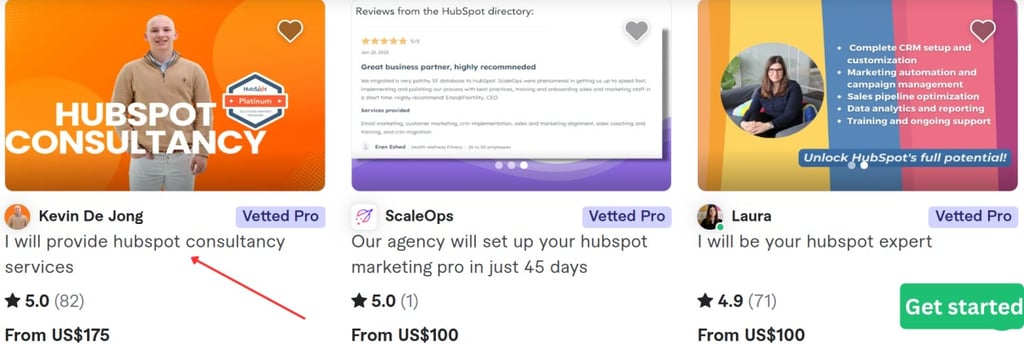
Fiverr: Advantages and Cautions
Advantages:
Lower costs than traditional agencies
Large pool of consultants to choose from
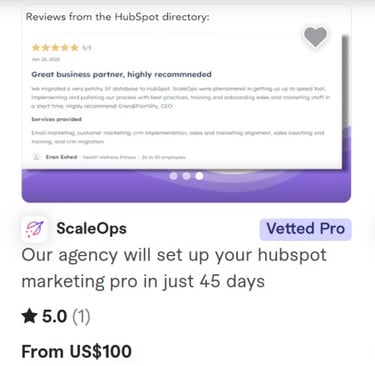
Built-in review system and payment protection
Easy to start with a smaller project
Cautions:
Quality varies wildly ($100 to $5,000 for same service)
Communication can be challenging across timezones
Support after delivery might be limited
Less accountability than larger firms
Pro tip: Start with a smaller scope on Fiverr to evaluate consultant quality before committing to full implementation.
Official HubSpot Partners
HubSpot maintains a partner directory at partners.hubspot.com. These certified partners have met HubSpot's standards:
Certified Implementation Partner (CIP) status
Verified track record
More structured approach
Higher costs (typically $10,000-$40,000+)
Better accountability
Post-implementation support standard
Local HubSpot Agencies
Many cities have HubSpot-focused agencies. Benefits include local support and face-to-face meetings. Search "HubSpot consultant [your city]."
Part 8: The Ideal Implementation Timeline
Week 1: Discovery and Strategy
Your HubSpot CRM implementation partner conducts interviews with sales leadership, individual sales reps, and operations. They document your current process, understand customer journey pain points, and identify your most critical metrics.
Deliverable: Process map, proposed sales pipeline stages, list of needed integrations.
Your involvement: 4-6 hours of meetings and interviews.
Week 2: Configuration and Setup
The consultant configures HubSpot: creates deal stages, custom properties, custom objects if needed, and sets up your database structure. This is mostly backend work.
Deliverable: Configured HubSpot account ready for data and integration.
Your involvement: 1-2 hours for approvals and feedback.
Week 3: Data Migration and Integration
If you're bringing over customer data, this is when it happens. HubSpot CRM data migration services include mapping fields, removing duplicates, and testing. Integrations are configured and tested.
Deliverable: Clean data in HubSpot, all integrations tested and functioning.
Your involvement: 1-2 hours for final data review.
Week 4: Training and Launch
Your team learns HubSpot through video training, documentation, and live sessions. The consultant sets up email templates and walks your team through daily workflows.
Deliverable: Trained sales team, documented processes, ongoing support contact information.
Your involvement: 3-4 hours in training sessions, then ramping adoption.
Beyond Week 4: Most consultants offer 30-60 days of email support for questions. Some offer paid retainer support ($500-$2,000/month) for ongoing optimization.
Part 9: Measuring Success After Implementation
You should define what success looks like before you hire your consultant. Establish baselines on your current metrics, then track improvement.
Common Metrics to Track:
Saves time: How many hours per week do sales reps spend on admin vs. selling?
Sales cycle: Is your average sales cycle length decreasing?
Deal velocity: Are deals moving through stages faster?
Forecast accuracy: Is your pipeline forecast closer to actual outcomes?
Adoption rate: What percentage of your sales team uses HubSpot daily?
Conversion rate: Is your conversion rate from prospect to customer improving?
Customer data quality: What percentage of deals have complete information?
Sales funnel visibility: Do you have clear insight into every deal?
Set targets before implementation. "We will reduce time spent on CRM data entry by 6 hours per week." "We will improve forecast accuracy by 20%." Then measure results 30, 60, and 90 days post-launch.
This also helps you evaluate whether your consultant delivered value.
Part 10: Questions About Frequently Asked Questions
What's the difference between HubSpot implementation and ongoing support?
Implementation is the initial setup—configuring everything and training your team. Ongoing support is answering questions, making adjustments, and optimizing after launch. Most consultants charge separately for each.
Should I hire a generalist or industry specialist?
Industry specialist. Yes, it costs more, but they understand your sales cycle, typical deal sizes, and industry-specific challenges. The extra investment pays for itself.
Can I implement HubSpot myself without a consultant?
Technically yes. Practically, you'll spend 3-4x longer, make expensive mistakes, and likely end up hiring someone to fix it anyway. For anything beyond a 1-2 person sales team, hire help.
How long until I see ROI from HubSpot CRM implementation?
Usually 60-90 days. You save time on admin work immediately. Pipeline visibility and reporting improve over the first month. Deal velocity improvement takes 3-6 months to measure.
What happens after implementation ends?
Your system continues working. Most consultants offer 30-60 days of support. After that, you either manage it yourself (check HubSpot Academy for learning resources) or hire an ongoing support retainer.
Part 11: Top Qualities to Find in Your HubSpot CRM Consultant
Deep HubSpot Expertise Not just general CRM knowledge, but specific HubSpot expertise. They know the platform's native capabilities and limitations. They understand what's possible vs. what requires third-party integration.
Industry Experience They've implemented HubSpot for companies like yours. They understand your sales cycle, typical deal complexity, and industry-specific challenges.
Communication Skills Implementation succeeds or fails based on communication. Your consultant should explain technical concepts clearly, ask clarifying questions, and keep you updated.
Problem-Solving Orientation When HubSpot can't do something directly, they propose workarounds. When your needs don't fit standard implementation, they customize.
Commitment to Your Success They care whether your team adopts HubSpot, whether you see results, and whether you'd recommend them. This shows in their follow-up, their willingness to adjust configurations based on feedback, and their ongoing support.
Process and Documentation They follow a defined methodology, create written deliverables, and document everything so your team can maintain it independently long-term.
Conclusion: Making Your Final Decision
Choosing a HubSpot CRM implementation partner is one of the most important decisions for your sales operations. The right consultant saves your team saves time, improves visibility, and provides a foundation for scaling.
Use this guide to evaluate candidates systematically. Compare at least 3-5 options. Ask the tough questions. Check references. Review their work process. Ensure they understand your industry and sales cycle.
The ideal consultant combines deep technical expertise, industry knowledge, clear communication, and genuine commitment to your success. They're not the cheapest option, but they're worth every dollar.
Start your search today. Ask detailed discovery questions. Evaluate using the scorecard from Part 3. Choose someone you trust to build the foundation of your sales operations.
Your sales reps will thank you when they spend less time on spreadsheets and more time selling.
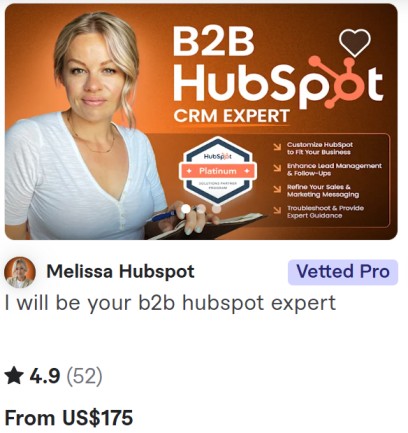
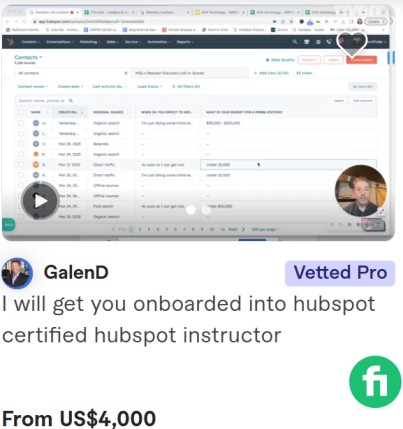
📊 Stats at a Glance: Melissa Hubspot
- Rating: ⭐⭐⭐⭐⭐ (4,9-26 reviews)
- Orders Completed: 272+
- Response Time: < 1 hours
- Location: United States
- Languages: English, Spanish
- Member Since: 2019
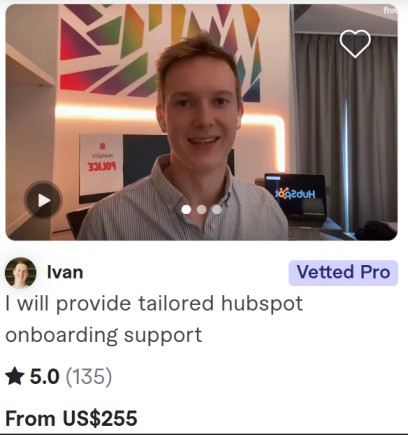
📊 Stats at a Glance: Ivan
- Rating: ⭐⭐⭐⭐⭐ (5/5-135 reviews)
- Orders Completed: 305+
- Response Time: < 1 hours
- Location: Belgium
- Languages: Russian, Ukrainian, English, Spanish
- Member Since: 2019
📊 Stats at a Glance: Juan L
- Rating: ⭐⭐⭐⭐⭐ (5/5-25 reviews)
- Orders Completed: 500+
- Response Time: < 1 hours
- Location: United States
- Languages: English, Spanish
- Member Since: 2019