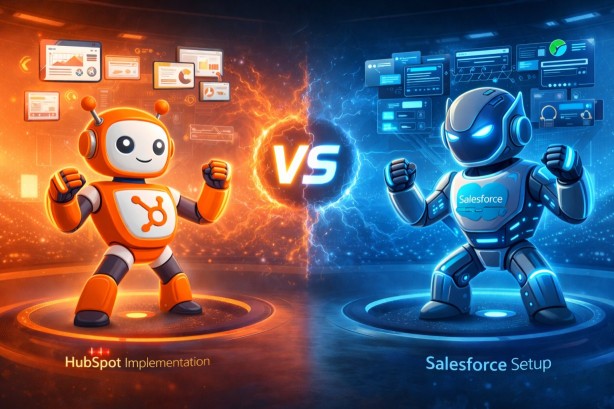
hubspot implementation vs salesforce setup which takes longer
HubSpot vs Salesforce: A Practical Comparison for B2B Companies
When evaluating CRM platforms, HubSpot and Salesforce dominate the conversation. But they're fundamentally different tools built for different needs. Here's what actually matters when choosing between them.
The Core Difference
Salesforce is an enterprise-grade platform designed to be customized into virtually anything. It's a Swiss Army knife—incredibly powerful, but requires skilled hands to operate.
HubSpot is purpose-built CRM software designed to work effectively out of the box. It prioritizes speed and user adoption over infinite customization.
Think of it this way: Salesforce is what you buy when you need a system that grows with your company's complexity. HubSpot is what you buy when you need a system that works immediately for your sales and marketing teams.
Head-to-Head Comparison
Implementation Timeline
HubSpot: 4-8 weeks for a mid-sized company
Faster because the platform has preset best practices
Most configurations work without custom coding
Training is straightforward—the interface is intuitive
Salesforce: 3-6 months minimum, often longer
Requires architects to design custom solutions
Heavy technical setup and configuration needed
More complex training required across teams
Winner: HubSpot if you need speed. Salesforce if you have time and budget for a strategic implementation.
Ease of Use
HubSpot
Modern, intuitive interface that sales reps actually want to use
Workflows are visual and don't require technical knowledge
Reports can be built by non-technical users
Setup wizards guide you through common configurations
Dashboard customization takes minutes, not weeks
Salesforce
Powerful but steep learning curve
Requires admin training to maintain
Customization often needs developer involvement
More features means more options—and more confusion
Field-heavy interface feels dated compared to modern SaaS tools
Winner: HubSpot for teams that need adoption quickly. Salesforce for organizations with dedicated admin resources.
Pricing
HubSpot
Starter: $50/month (basic CRM)
Professional: $800/month (automation, advanced features)
Enterprise: $3,200/month (custom objects, API limits lifted)
Add-ons: Sales Hub, Marketing Hub, Service Hub pricing varies
Salesforce
Essentials: $165/user/month
Professional: $330/user/month
Enterprise: $660/user/month
Unlimited: $1,320/user/month
Implementations typically cost $20,000-$100,000+
Real-world cost: HubSpot's per-seat pricing is lower, but Salesforce costs vary wildly based on customization. A 20-person Salesforce implementation could cost $500,000+ year one including implementation. HubSpot comparable setup might be $50,000-$80,000.
Winner: HubSpot for smaller teams and predictable budgets. Salesforce if you already have enterprise infrastructure and security requirements.
Features and Capabilities
HubSpot Strengths
Marketing automation built in (workflows, email, lead scoring)
Superior email tracking and sales engagement tools
Integrated CMS platform
Built-in chat and conversational marketing
Predictive lead scoring without extra setup
Better user experience overall
Salesforce Strengths
Unlimited customization through Apex coding
Enterprise-grade security and compliance
Service Cloud for customer support teams
Advanced reporting and analytics (Einstein Analytics)
Extensive app marketplace (AppExchange)
Industry-specific versions (Financial Services Cloud, Health Cloud, etc.)
Better for complex, multi-department enterprises
Winner: HubSpot for sales and marketing teams. Salesforce for enterprises needing department-wide adoption and custom business logic.
Data and Reporting
HubSpot
Clean data out of the box because of how the platform is designed
Reporting dashboards are accessible to non-technical users
Good predictive analytics and forecasting
Integrates well with analytics tools like Google Analytics
Salesforce
Requires more data governance upfront
Einstein Analytics offers sophisticated AI-powered insights
More granular permission controls over who sees what data
Stronger audit trails for compliance
Winner: HubSpot if you need reliable reports quickly. Salesforce if you need enterprise-grade analytics and security.
Integrations
HubSpot
1,000+ integrations available
Most work with simple, no-code setup
Excellent integration with marketing tools
Seamless Google Workspace and Microsoft integration
Payment processor connections work well
Salesforce
Unlimited integration possibilities through APIs
More powerful integrations for enterprise systems
Better for syncing with legacy business systems
Requires more technical setup and maintenance
Winner: HubSpot for standard integrations. Salesforce for complex enterprise systems.
Which Should You Choose?
Choose HubSpot If:
You're a B2B company with 5-500 employees
You need to implement quickly (30-60 days)
Your sales and marketing teams need a system they'll actually use
You don't need unlimited custom fields or complex business logic
You want predictable, affordable pricing
You value user adoption and speed over maximum customization
Choose Salesforce If:
You're a large enterprise (500+ employees)
You have complex, multi-department needs
You need unlimited customization and developer flexibility
You have dedicated admin/technical resources
You require enterprise security and compliance features
You need industry-specific functionality
You're already in the Salesforce ecosystem
The Middle Ground: Implementation Matters More Than Platform
Here's the uncomfortable truth: A poorly implemented HubSpot beats a poorly implemented Salesforce every time. And a well-implemented HubSpot will outperform a badly configured Salesforce.
The platform is 30% of the equation. The other 70% is:
Understanding your actual sales process
Clean data and proper configuration
Team adoption and training
Ongoing optimization and maintenance
A $10,000 HubSpot implementation that's done right will generate better ROI than a $100,000 Salesforce setup that nobody uses correctly.
Final Verdict
HubSpot wins on: Speed, ease of use, integrated features, pricing, user adoption Salesforce wins on: Customization, enterprise scale, advanced analytics, legacy system integration
For most B2B companies with dedicated sales and marketing teams under 200 people, HubSpot delivers better value and faster results. For large enterprises with complex requirements, Salesforce's customization flexibility justifies the higher cost and longer implementation.
But the real winner isn't the platform—it's the one your team will actually use consistently and optimize over time.